Controlling the Soundboard
The soundboard is linked with the computer for the stream both directions to allow media to be played in house as well.
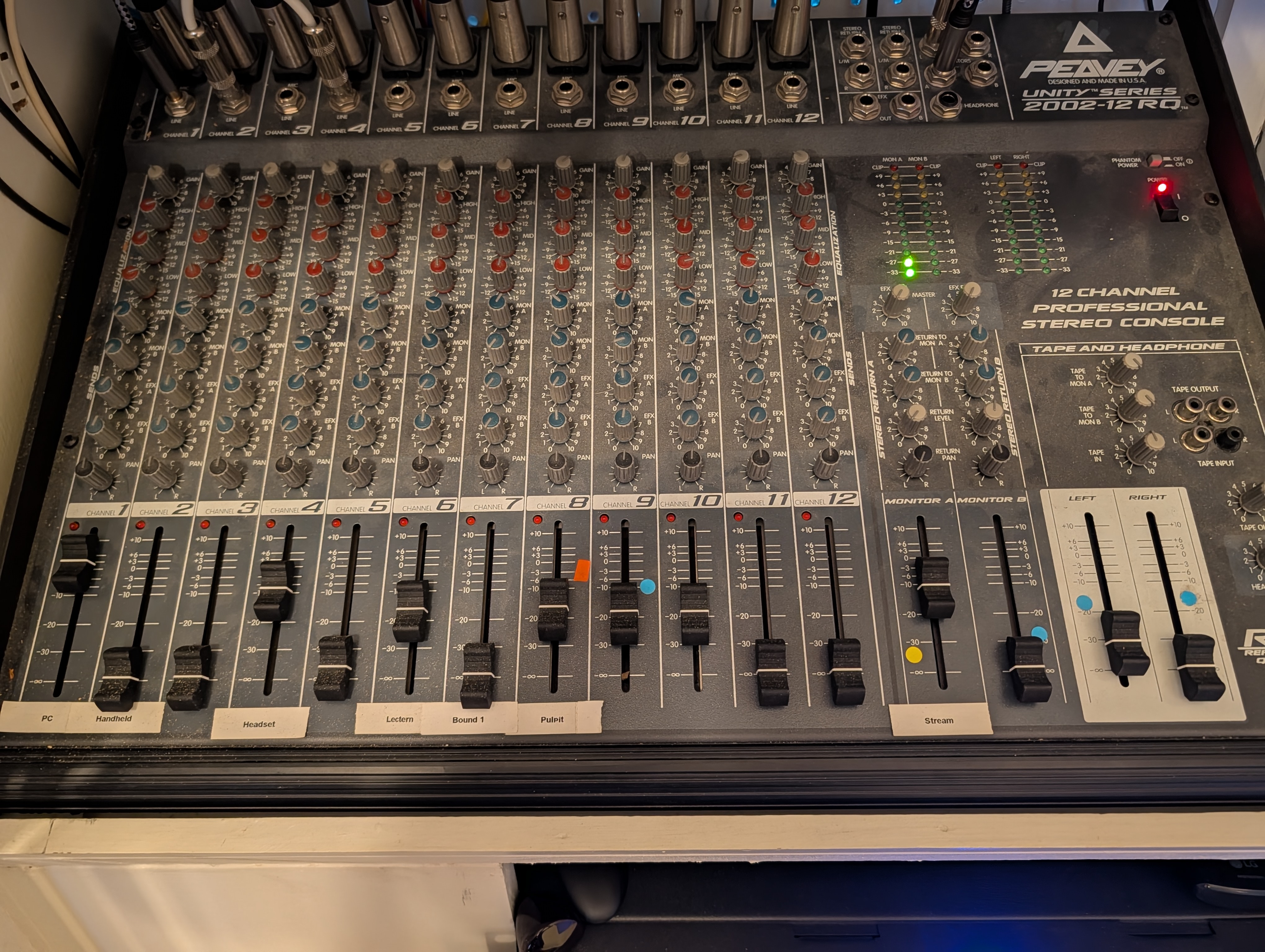
Monitor A (Change this for the stream)
You will be mostly using this output control line for each input. This goes directly out to the stream only and can be safely changed at any time during service. There is a knob on every input to control its sound individually, Also a volume slider marked Stream can adjust the total volume for the stream but be careful adjusting that piece as it adjusts up quickly.
Volume and Gain (If You don’t know, generally don’t touch)
The main volume slider affects the sound in the house, be VERY careful changing this slider to avoid feedback. If Monitor A is too quiet at its highest volume you may adjust the Gain at the top but you MUST adjust the volume on the house down to match the change or you will also get feedback. Do not adjust left or right sliders they will raise the total volume in the house, you may adjust the slider marked stream to raise all input to the stream if needed.
Input List
A list of the inputs on the board and info about them, If not mentioned, it can be adjusted normally with monitor A, volume and gain as above:
-
PC A sound input for the PC to play media - DO NOT turn up Monitor A for this one, just turn up the volume when you need to play sound from the PC in the house.
-
Handheld The wireless handheld microphone present in the back row for any use. -
Headset The Pastor’s clip on or headset wireless mic. - This will likely need to be adjusted frequently as it is very loud compared to other mics like the choir and will override them. Adjust normally with Monitor A as needed.
-
Lectern The lectern podium mic. -
Bound 1 (Piano) Piano’s boundary mic near back of house recording the rear of the altar area. -
Pulpit The Pulpit podium mic. -
Input 9 and 10 (Choir) These are attached to the 2 microphones near the front for the choir. - You will likely need to tweak these as they are VERY hot mics that can benefit from it during singing.